What's New
Load Chrome websites automatically in Incognito Mode
Incognito Mode is Google Chrome's private browsing mode. When you load websites in Incognito Mode, session data that is stored locally is not stored. In other words, Chrome does not save data to the browsing history, cache, or cookie storage among others.
Incognite Mode offers several advantages besides that: extensions are not enabled by default in the mode which blocks potential data leaks and sites handle Incognito Mode independently from the rest of the browser.
Here is what is new in Opera 54
Opera Software released a new version of the Opera web browser yesterday that brings the version to 54 on the browser's stable channel.
The two features of Opera 54 that Opera highlights on the official desktop team blog are news on the Speed Dial page and improvements to the visibility of update and recovery options.
WinRAR 5.60 released with new look and features
WinRAR 5.60 is a new version of the popular cross-platform compression tool that has been released to the public earlier today. WinRAR 5.60 is the first big release since WinRAR version 5.50 was released back in 2017. It is available as a 32-bit and 64-bit version for Windows and other supported operating systems.
WhatsApp: hide media from individual chats in the Gallery
The latest best version of WhatsApp messenger for Android has a new feature that gives users more control over the visibility of media on their devices.
The new version adds an option to the chat application to hide media from specific chats in the gallery of the device.
How to disable media autoplay in Microsoft Edge
Microsoft plans to ship major new features in the next version of Windows 10; one of the new features gives users control over media autoplay on the Internet.
If you have access to a recent Windows Insider build, you may have noticed already that Microsoft Edge comes with a lot of improvements.
One of the new options is a new control to configure autoplay rules for media. The default setting is to allow autoplay but you can modify it to block autoplay.
CCleaner 5.44 comes with advertising popups
If you run the free version of the popular temporary file cleaner and system tool CCleaner for Windows, you may have noticed that it has started to display advertising popups on the system.
I noticed the behavior after installing CCleaner 5.44 on a Windows 10 Pro system; it is possible, however, that older versions of CCleaner display the advertisement as well.
The advertisement appears as a popup message in the lower right corner of the screen. It highlights a Summer Sale and a discount for CCleaner Professional.
Google Maps rolls out with improved Explore functionality
When you open the Google Maps application on your Android or Apple device right now, you may be greeted with a "New! Swipe up to see what's nearby" notification that highlights the improved Explore functionality that Google implemented recently.
Google did introduce the feature last month actually but the worldwide rollout of them did not start until today.
Firefox 61: Fix Secure Connection Failed
If you have upgraded to yesterday's new Firefox 61 version you may have received a secure connection failed error when trying to connect to this very site and others.
The error message reads:
Restore files that were encrypted by Thanatos malware
Thanatos is a ransomware variant that has been distributed using malware campaigns over the past few months.
Attack vectors include distribution through chat rooms on the Discord chat platform but also through other channels. Users need to execute specifically prepared files on Windows PCs to initiate the ransomware infection process.
Different versions of the malware were distributed with Thanatos 1.1 being the most recent version of the ransomware and the likelihood that newer versions will become available.
Microsoft releases KB4284848 for Windows 10 version 1803
It took Microsoft a bit longer than expected but KB4284848, a new cumulative update for Windows 10 version 1803, has finally been released.
Microsoft released cumulative updates for previous versions of Windows last week but did not release an update for the April 2018 Update version.
It is usually the case that updates get released for all versions of Windows 10 and that is why it was strange that 1803 did not receive one when all other versions did.
How to open the Device Manager in Windows 10
Device Manager is a powerful administrative Windows tool to manage all connected devices. Microsoft uses the term devices for any hardware that is connected to the PC, from the motherboard and video card to external hard drives, the computer mouse, or monitors.
Firefox gets a new add bookmark prompt
If you run Firefox Nightly right now, you may have noticed that the particular version of Firefox comes with a modified add bookmark prompt.
While the prompt itself has not changed, the key change is that Firefox displays a thumbnail of the actual page when you click on the add bookmark icon in the Firefox address bar.
If you have used Firefox before you know that you can add any site to the bookmarks of the browser by clicking on the star symbol in Firefox's address bar.
Mozilla to run Firefox Monitor study in the US
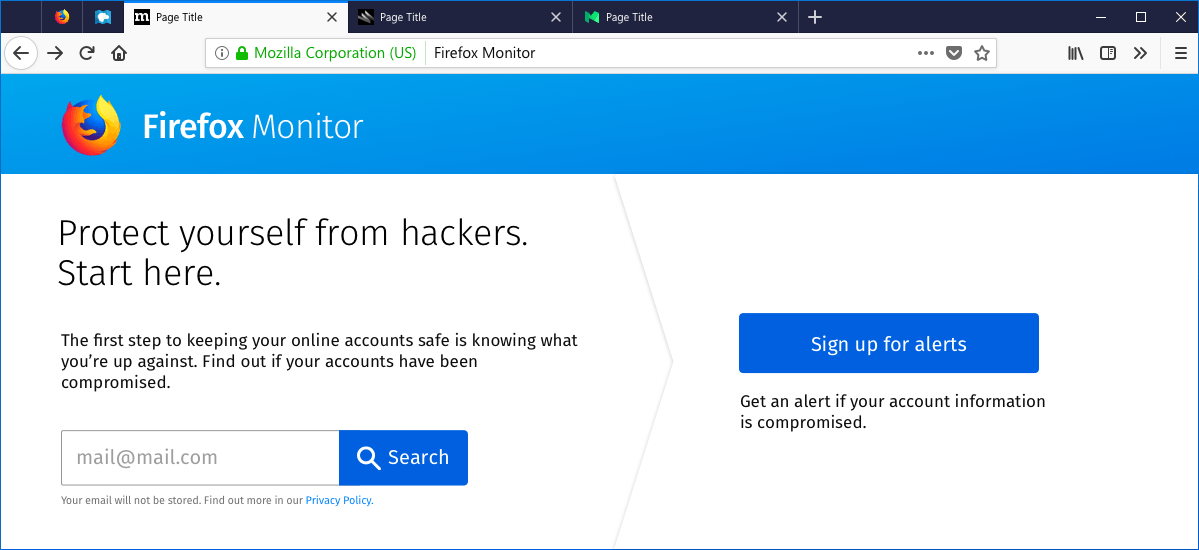
Mozilla revealed today that it plans to run a Shield Study in the United States to get data on a new feature that it calls Firefox Monitor.
Firefox Monitor is a security tool that gives Firefox users the option to check whether their accounts have been compromised.
Firefox 61.0 release overview
Mozilla plans to release Firefox 61.0 to the Stable channel today. Since all Firefox releases are in sync, today is also the release data for Firefox 60.1 ESR, Firefox 52.9 ESR, and Firefox 62 Beta and Firefox 63 Nightly.
Firefox 61.0 introduces new features and improvements. Firefox users who use tab management extensions benefit from the new ability to hide the main tab bar in the version of the browser.
The new version makes it easier to add search providers to Firefox, and it includes quite a range of under the hood improvements next to that.
How to disable Twitter's Quality Filter
Twitter uses a quality filter for notifications and search results; it is designed to filter out low(er)-quality content so that users of the service can focus their attention on the remaining content.
While it can certainly be useful to filter out low quality content automatically, for instance, if it can be identified clearly as spam or automated content, other content may be filtered as part of the process.
Twitter users won't see that content even if it is relevant to them if they don't disable the quality filter on the site.