Google Workspace smart features are rolling to Gmail users
Google is rolling out Smart features for Gmail. These settings are also related to Drive, Gemini, Calendar, etc.
Google first announced these options in January 2025, but this pop-up only appeared for me randomly today in the web app. It showed two options: Smart features in Google Workspace, and Smart features in other Google products. Smart features in Google Workspace, when enabled, will display events from Gmail in your calendar. E.g. Your flight details, invitations. It also controls personalized search based on your usage, including file suggestions in Google Drive, Meet, Chat. When the option is enabled, it allows Gemini to access your data and use it to summarize content, create drafts, find information, across Google apps.
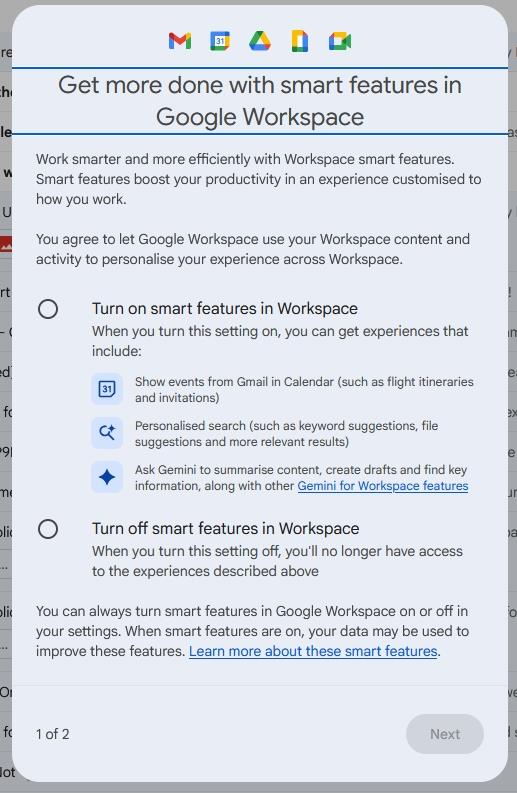
The other set of options, Smart features in other Google products, controls use of your data/activity to offer a personalized experience in Google apps. For example, it may display restaurant reservations and takeaway orders in Maps, answers and reminders in Google Assistant, suggestions and answers in Gemini. It will also suggest tickets, loyalty cards and other passes in Wallet, which sounds similar to what Apple did with its own app, and deservedly got criticized for it.

The second option was enabled by default, at least for me (it said turn off). That's why I wrote this article, to show you how to turn it off. In case you accidentally turned it on, or want to know whether it is enabled or disabled, go to https://mail.google.com/mail/u/0/#settings/general. Scroll down the page until you see a section called Google Workspace smart features. Click on "Manage Workspace smart feature settings". This will display a pop-up like the one you see here.

Note: You can also get to the page from Gmail > Settings (Cog) > General.
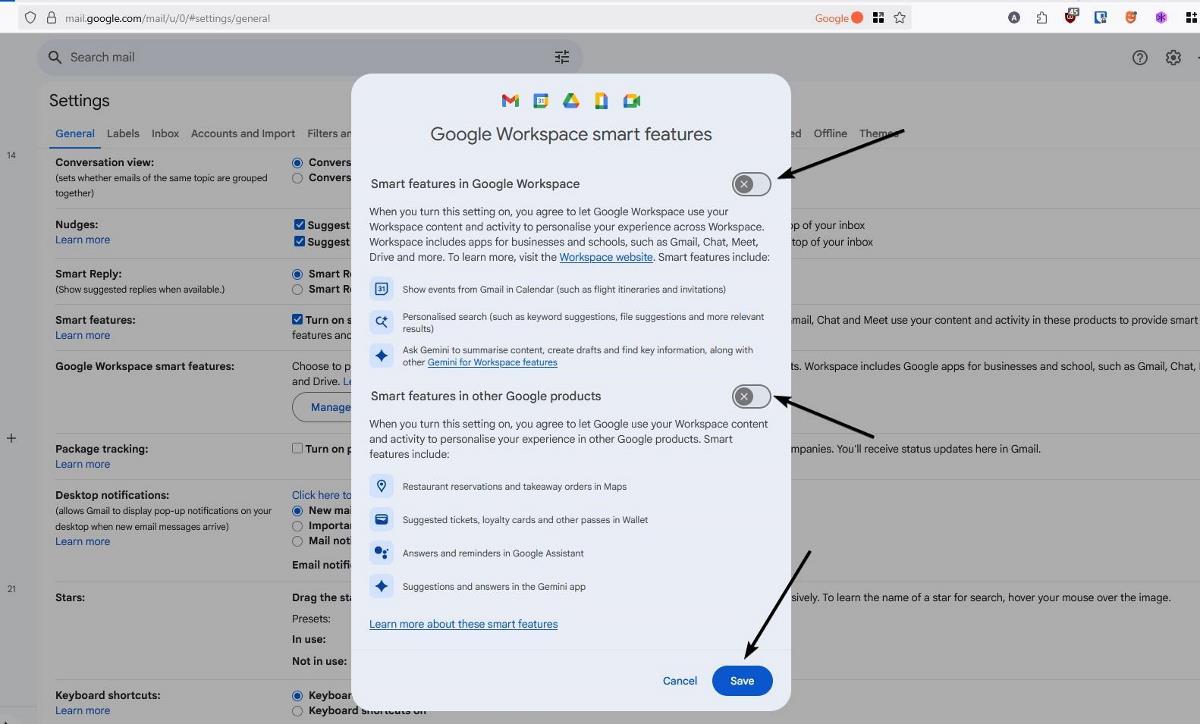
There are two toggles here, just like the ones I mentioned earlier. Notice that the toggles look a little different compared to the automatic pop-up, the button is on the right-hand side here. Hit the Save button to save the changes.
Click on the buttons to turn the features off. If you wish to learn more about Google Workspace Smart Features, check the official support page.
Thank you for being a ComTek4u TechTips reader. The post Google Workspace smart features are rolling to Gmail users appears on ComTek4u TechTips. (via Ghacks)