How to extend Windows 10 Support by a year
Microsoft plans to end supporting major versions of its Windows 10 operating system in October 2025. This affects all home users and many businesses alike. Considering that almost half of all Windows PCs still run Windows 10, it is fair to say that ending support at this stage could end in disaster.
This is likely one reason why Microsoft has made extended security updates available for home users for the first time. It postpones the death of the system by a year, but you need to become active for that.
Microsoft stated earlier that home users have three options to join ESU on their Windows 10 devices:
- Pay $30 to receive one year of updates.
- Pay with 1000 Microsoft Rewards points.
- Use Windows Backup to sync Settings to the cloud.
But how exactly do you join the extended updates program? The following guide answers that question, for home users at least.
How to join ESU on Windows 10

Microsoft revealed that the broad availability of the join option becomes available in August. If you install the latest preview update for Windows 10, you should get it in July already.
- Open the Settings on the Windows 10 device.
- Select Windows Update.
- Check "Get the latest updates as soon as they're available".
- Click on "Check for updates".
This should install the most recent update. If you do not want to install preview updates, wait for the August 2025 Patch day (August 12th), which includes the necessary update.
How to enroll
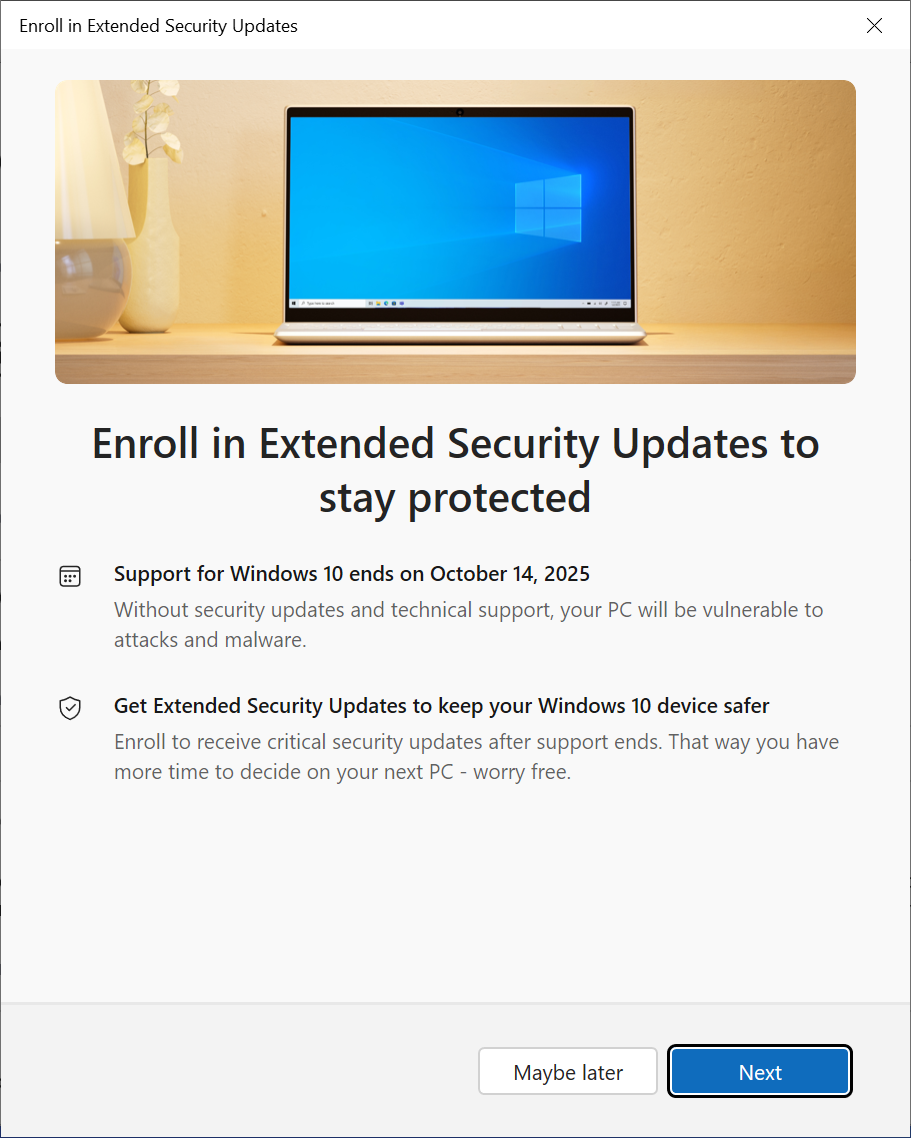
Check the section on the Windows Update page that is below the "check for updates" button. It should say "Windows 10 support ends in October 2025. Enroll in Extended Security Updates to help keep your device secure".
Click on the "enroll now" link to start the process, or on "learn about the end of support" to open this page on the Microsoft website. It provides information on the end of support and the -- obligatory -- suggestion to upgrade to Windows 11.
When you activate "enroll now", the "Enroll in Extended Security Updates" window is loaded. Microsoft displays basic information here, mainly that your PC will continue to receive security updates after October 2025. No word on the page about the end of the program, which is in October 2026.
Select the "next" button to proceed, or "maybe later" to skip the process at this stage and come back to it at a later point in time.
The available options are displayed on the next screen.

The default option is set to "back up your PC settings". This copies "settings, apps, and credentials" to the OneDrive cloud. You could import the data at a later stage to a new PC running Windows 11, which is probably what Microsoft hopes most Windows 10 customers will do once support runs out.
You could also redeem Microsoft Rewards points, if you have 1,000, or pay Microsoft instead.
Tip: if you select the back up option, but have configured your system to block syncing your Microsoft Account with Windows, then you may still enroll at no extra cost.

Select the "enroll" button to proceed. You should get to the success page that confirms that your PC will receive extended security updates until October 2026.

Click on the done button to exit the window and go back to the Settings app. The main page should confirm that the PC is enrolled to get Extended Security Updates as well.
That is all there is to it. Millions of PCs running Windows 10 will likely be enrolled to get extended security updates in the coming weeks and months.
What about you? Do you still run a PC with Windows 10? Do you plant to join extended security updates and prolong support by a year?
Thank you for being a ComTek4u TechTips reader. The post How to extend Windows 10 Support by a year appears on ComTek4u TechTips. (via Ghacks)